
Turn city stops into a clear map route
Add cities in order and get a readable travel map without drawing lines by hand.
Travel map video maker
Turn a city itinerary into an animated route clip for TikTok, Reels, Shorts, or a vlog without learning a map editor.
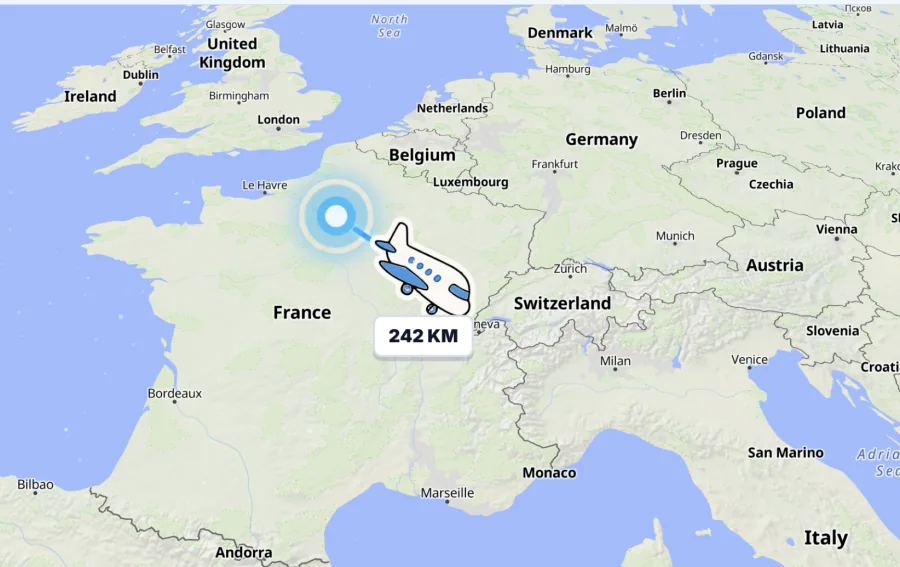
Snipka keeps the creator workflow short: add city stops, preview the map motion, export a clip that explains the trip at a glance.
Add cities in order and get a readable travel map without drawing lines by hand.
Watch the route move across a globe with pins, labels, transport markers, and an ending.
Create vertical map videos for TikTok, Reels, and Shorts, or horizontal clips for vlogs, guides, and client itineraries.
Download a silent animated travel map and finish the story in your usual editor.
Start from a few city stops, preview the animated map, then export a clip for the post, vlog, or guide you are making.
Replace the sample cities with your own route stops.
Watch the animated travel map before you download.
Pick aspect ratio and pacing.
Save the route clip and add it to your travel content.
Use the workspace to replace the sample cities, preview the map animation, and export a clip for your next travel post.
From itinerary to route clip
Snipka is designed for travel creators, vloggers, guides, and itinerary planners who need a clear city-to-city visual. Add stops, preview the motion, and export a standalone clip that can sit inside the story you are already making.
Search for the cities in your itinerary and arrange them in travel order. Snipka creates a readable route without asking you to draw map lines, configure a GIS layer, or learn keyframe animation.
Use a vertical frame for TikTok, Reels, and Shorts, or a horizontal frame for YouTube, vlogs, guides, and client itineraries. Preview the aspect ratio and pacing before exporting.
The output is a visual story map, not turn-by-turn navigation or a replacement for your video editor. Download the route animation, then combine it with your own footage, voiceover, and music.
Use a route clip as an opening sequence, a destination transition, a visual itinerary in a travel guide, or a quick explanation for a client. It is made to clarify the journey before the next piece of content.
Preview the globe introduction, route movement, city labels, transport markers, and ending before saving the file. Adjust the aspect ratio and pace when the route needs to feel faster or more deliberate.
The browser export is a silent route video, so it can sit under a voiceover, between travel scenes, or beside captions. Download the clip and keep your existing editing workflow for the rest of the post.
Use the shareable travel map maker to put stops, hotels, food, activities, and notes into one map link your group can follow.
Quick answers for turning city stops into animated travel map videos.